How to Send Mass DMs on Twitter Safely in 2026
Learn how to send bulk DMs on Twitter without getting banned. Discover safe Twitter mass DM strategies, 2026 rate limits, warm-up techniques, and the tools that protect your account while scaling outreach.
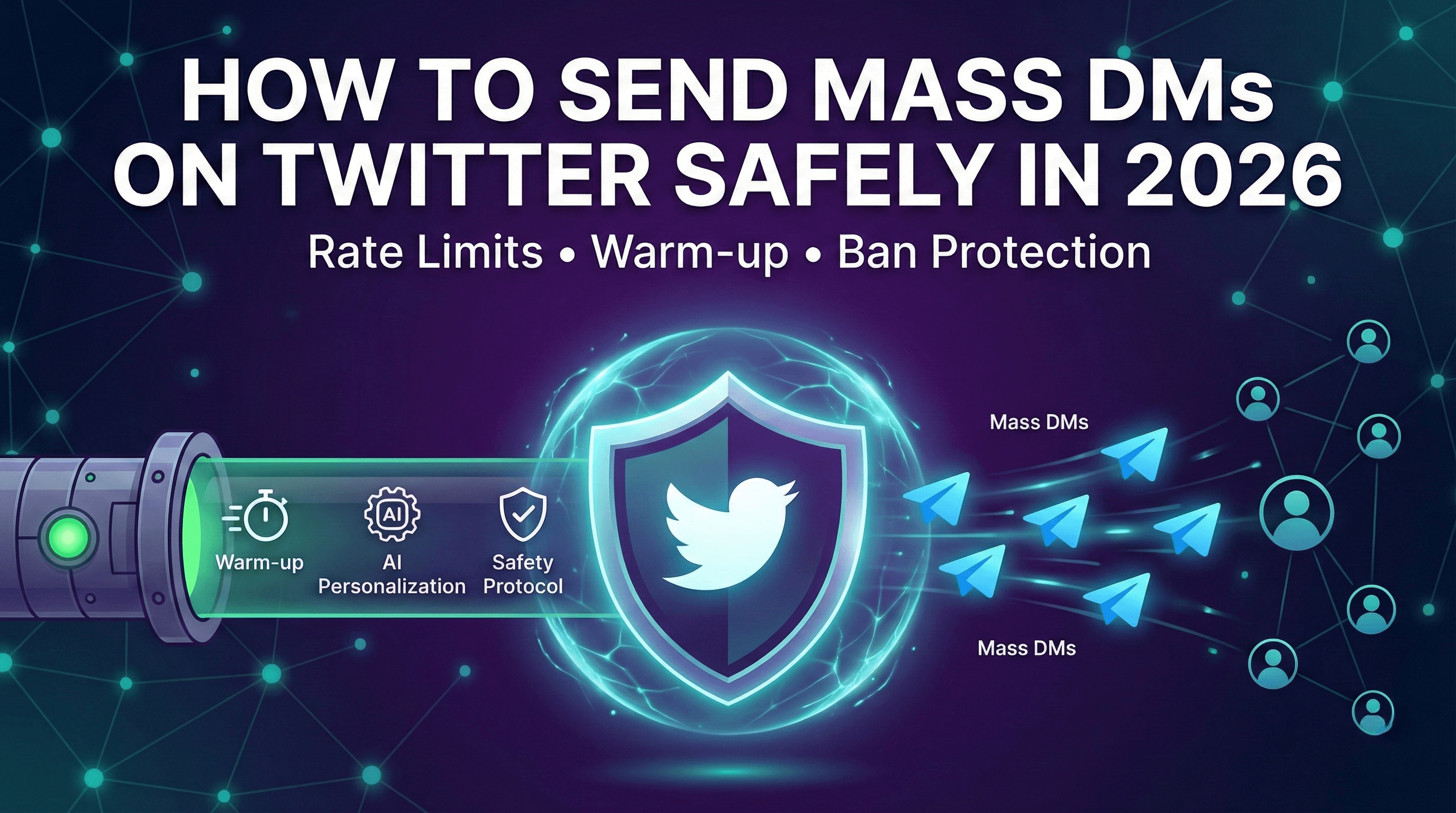
Sending mass DMs on Twitter is one of the fastest ways to generate leads and book meetings, but it's also one of the fastest ways to get your account suspended. The difference between success and a banned account comes down to understanding how to send bulk DMs on Twitter the right way.
In 2026, Twitter (X) has evolved its spam detection significantly. The days of blasting identical messages to hundreds of accounts are long gone. But here's the good news: if you follow the right framework, you can safely send mass DMs on Twitter and achieve response rates that make it worth the effort.
This guide covers everything you need to know about Twitter mass DM outreach in 2026, including current rate limits, what triggers bans, and the step-by-step approach to scaling safely.
Table of Contents
- Can You Send Mass DMs on Twitter?
- Twitter DM Limits in 2026
- What Gets You Banned When Sending Bulk DMs
- The Safe Way to Send Mass DMs on Twitter
- Mass DM Best Practices
- Tools for Safe Twitter Mass DM Campaigns
- FAQ
Can You Send Mass DMs on Twitter?
Yes, you can send mass DMs on Twitter, but the approach matters far more than the tools you use.
Twitter's terms of service prohibit spam and platform manipulation, not automation itself. Businesses and creators have been sending bulk DMs on Twitter for years. The ones who succeed understand the difference between valuable outreach and spam.
Here's the reality: Twitter's algorithms are sophisticated enough to distinguish between:
- Spam: Identical messages, aggressive volume, no prior engagement, suspicious links
- Legitimate outreach: Personalized messages, gradual scaling, authentic engagement patterns
When you learn how to send bulk DMs on Twitter correctly, you're essentially teaching the algorithm that your messages are valuable. This means:
- Building account reputation before scaling
- Personalizing every message (not just inserting names)
- Engaging with prospects before DMing them
- Respecting rate limits and human-like pacing
The companies booking 10+ meetings per week through Twitter mass DM campaigns aren't using secret tricks. They're following a systematic approach that prioritizes quality and safety over raw volume.
Twitter DM Limits in 2026
Understanding Twitter's DM limits is essential before you send mass DMs on Twitter. These limits have evolved significantly, and the 2026 landscape looks different than previous years.
Official DM Limits
Twitter doesn't publish exact numbers, but based on extensive testing and community data, here's what we know about bulk DM Twitter limits in 2026:
Unverified Accounts:
- Daily DM limit: ~500 DMs per day (hard cap)
- New conversation limit: Lower, approximately 200-300 new conversations
- Rate limiting kicks in: After rapid successive messages
Verified Accounts (X Premium):
- Daily DM limit: Up to 1,000 DMs per day
- Higher tolerance for volume
- Faster recovery from rate limiting
Dynamic Rate Limits
Here's what most guides miss: Twitter uses dynamic rate limits based on your account's reputation score.
Factors that affect your limits:
- Account age and history
- Engagement patterns (likes, replies, retweets you receive)
- Previous spam flags or warnings
- Verification status
- How recipients interact with your messages
A new account might hit restrictions after 20-30 DMs. An established account with positive engagement history might send 100+ before seeing any friction.
Cooldown Periods
When you trigger Twitter's spam detection while sending bulk DMs, you'll encounter cooldown periods:
- Soft rate limit: 30-minute cooldown, can resume after
- Temporary restriction: 12-24 hours, account features limited
- Shadow restriction: Messages delivered but hidden from recipients
- Account lock: Requires phone verification to unlock
The goal is to never hit these limits. If you do, it's a signal your approach needs adjustment.
Safe Limits for Twitter Mass DM Campaigns
Based on what actually works without triggering restrictions:
| Account Status | Daily Safe Limit | Notes |
|---|---|---|
| New account (< 30 days) | 15-20 DMs | Focus on warm-up, not volume |
| Established (30-90 days) | 30-50 DMs | Gradual scaling recommended |
| Mature (90+ days) | 50-75 DMs | Sustainable long-term volume |
| Verified + Mature | 75-100 DMs | Higher ceiling with good reputation |
These are conservative limits that prioritize account longevity over short-term volume.
What Gets You Banned When Sending Bulk DMs
Before diving into the safe approach, let's be clear about what triggers account suspensions when attempting Twitter mass DM outreach.
Identical or Template Messages
This is the number one reason accounts get banned. Twitter's spam detection easily identifies:
- Copy-paste messages sent to multiple recipients
- Template messages that only change the recipient's name
- Messages with identical structure and similar word patterns
- Bulk messages sent in rapid succession
The detection is sophisticated. Even if you vary a few words, pattern matching will catch you. True personalization is the only solution.
No Warm-Up Period
Accounts that go from zero DM activity to sending bulk DMs on Twitter immediately raise red flags:
- New accounts attempting mass outreach in week one
- Dormant accounts suddenly sending dozens of DMs
- Established accounts 10x-ing their DM volume overnight
Twitter's systems expect gradual, natural growth in activity. Sudden spikes trigger automated review.
Spam-Like Behavior Patterns
Even with good messages, certain behaviors signal spam:
- Sending DMs at inhuman speeds (one every few seconds)
- Activity during unusual hours with no breaks
- High volume of DMs with near-zero replies
- Messages to accounts that never engaged with you
Suspicious Links
Links in DMs, especially first messages, dramatically increase ban risk:
- Link shorteners (bit.ly, tinyurl) are major red flags
- Links to unknown domains
- Multiple links in a single message
- Landing pages that look like phishing attempts
High Block/Report Rates
When recipients consistently block you or report your messages as spam, Twitter takes action:
- Block rate over 10% triggers review
- Multiple spam reports can result in immediate suspension
- Even a few reports on a new account causes problems
The Safe Way to Send Mass DMs on Twitter
Now for the framework that actually works. This approach to sending mass DMs on Twitter takes patience but delivers consistent results without risking your account.
Step 1: Account Warm-Up (2-4 Weeks)
Before sending a single bulk DM, your account needs to establish credibility with Twitter's systems.
Week 1-2: Foundation
- Complete your profile 100% (professional photo, header, bio with keywords)
- Post 2-3 valuable tweets per day in your niche
- Like 15-20 relevant tweets daily
- Reply thoughtfully to 5-10 tweets from potential prospects
- Follow 15-25 relevant accounts (stay under 1:1 ratio)
Week 3-4: Engagement Building
- Increase posting to 3-5 tweets per day
- Start conversations via replies that add value
- Send 3-5 manual DMs to people who engage with your content
- Build genuine connections before automation
This warm-up period isn't just about avoiding bans. It builds the engagement patterns that make your eventual bulk DMs more effective.
Step 2: Gradual Scaling
With a warmed-up account, begin automated outreach slowly.
Week 5: Initial Launch
- Start with 15-20 automated DMs per day maximum
- Continue all organic engagement activities
- Monitor for warnings or reduced reach
- Track response rates to optimize messaging
Week 6: Controlled Growth
- Increase to 25-35 DMs per day if no issues
- Add follow-up sequences for non-responders
- Maintain at least 30% organic activity
Week 7+: Sustainable Volume
- Scale to 50-75 DMs per day maximum
- Never sacrifice personalization for volume
- Continue organic engagement alongside automation
Step 3: Engage Before You DM
The highest-converting Twitter mass DM strategies include pre-engagement:
- Day 1-2: Like 2-3 of their recent tweets
- Day 3-4: Reply to one of their tweets with something valuable
- Day 5-7: They start recognizing your profile
- Day 8+: Send your DM (now it's warm, not cold)
When someone receives a DM from an account that's been engaging with their content, it doesn't feel like spam. It feels like a natural progression of a relationship.
Step 4: Personalize Every Message
This is non-negotiable for safe Twitter mass DM campaigns. Every message needs genuine personalization:
Strong Personalization:
- Reference a specific tweet they wrote
- Mention their recent company news
- Comment on their content or thought leadership
- Note a shared connection or interest
Weak Personalization (Gets Flagged):
- Only using their first name
- Generic industry mentions
- "I noticed you're interested in [broad topic]"
AI-powered personalization tools can analyze each prospect's profile and recent activity to generate unique messages at scale. This is the key to sending mass DMs on Twitter without triggering spam detection.
Step 5: Built-In Safety Mechanisms
Your Twitter mass DM system needs automatic safeguards:
- Randomized delays: 2-5 minutes between messages minimum
- Daily limits: Hard caps that can't be exceeded
- Time zones: Activity during normal waking hours
- Pause triggers: Automatic stop if any warnings detected
- Engagement balance: Automated likes/replies alongside DMs
Mass DM Best Practices
Beyond the technical safety measures, these best practices dramatically improve results when you send mass DMs on Twitter.
Never Include Links in First Messages
Links in cold DMs kill response rates and trigger spam detection:
- Focus on starting a conversation first
- Mention your offer without linking to it
- Share links only after they express interest
- Use your profile link instead of DM links
Keep Messages Under 280 Characters
Shorter messages perform dramatically better:
- Easier to read on mobile
- Feels more conversational
- Less likely to trigger spam filters
- Higher response rates
Effective bulk DM structure:
[Personalized opener - 1 sentence]
[Why you're reaching out - 1 sentence]
[Simple question or soft CTA]
Optimal Timing for Twitter Mass DMs
When you send matters for both deliverability and responses:
- Best days: Tuesday through Thursday
- Best times: 9-11 AM and 1-3 PM (recipient's timezone)
- Avoid: Weekends, late nights, major holidays
- Spread it out: Don't send all DMs in a 1-hour window
Handle Responses Properly
Your response behavior affects account reputation:
- Reply to positive responses within 24 hours
- Acknowledge negative responses politely
- Never argue with people who aren't interested
- Stop all sequences immediately when someone responds
Use Opt-In When Possible
The safest bulk DM Twitter approach includes consent:
- Target people who followed you
- Reach out to people who engaged with your content
- Message people who replied to relevant threads
- Offer value before asking for anything
Tools for Safe Twitter Mass DM Campaigns
Not all automation tools are built for safety. Many older tools will get your account suspended because they weren't designed for Twitter's modern detection systems.
What to Look For
Human-Like Behavior Patterns
- Randomized delays between actions
- Activity spread throughout the day
- Built-in rest periods
- Timezone-aware scheduling
Smart Rate Limiting
- Automatic detection of Twitter warnings
- Adaptive limits based on account health
- Gradual ramp-up built into the system
- Pause functionality when issues arise
Real Personalization
- AI-generated messages based on prospect data
- Integration with prospect's recent tweets
- Dynamic content that varies every message
- No detectable templates
Warm-Up Automation
- Automatic engagement before DMs
- Liking and replying to prospect content
- Building familiarity before outreach
Why Autoreach is Built for Safe Mass DMs
Most Twitter mass DM tools focus on volume. That's exactly backwards.
Autoreach approaches bulk DM Twitter outreach as a complete system designed for safety and results:
1. Built-In Warm-Up Sequences
Before any DM goes out, Autoreach automatically engages with your prospect's content. Likes their tweets. Leaves thoughtful AI-generated replies. Builds familiarity so your DM arrives to someone who recognizes your name.
2. AI-Powered Personalization at Scale
Every message is written by AI based on the prospect's bio, recent tweets, and company information. No templates. No merge fields. Actual personalized outreach that reads their content and crafts unique messages.
3. Account Safety Features
Protection isn't an afterthought. Automatic rate limiting, human-like delays, warm-up periods, and intelligent pause triggers are built into every action. The system monitors for any warning signs and adapts automatically.
4. Gradual Scaling Automation
Autoreach handles the ramp-up for you. It starts slow, builds your account's reputation, and gradually increases volume based on account health signals.
5. Intelligent Conversation Handling
When prospects reply, the AI continues the conversation naturally. It handles objections, answers questions, and qualifies interest just like a top-performing SDR would.
6. Automatic Meeting Booking
When a prospect is qualified and interested, Autoreach books them directly into your calendar via calendar integration. No back-and-forth about scheduling. No dropped leads.
At $39/month during the beta, it's built for founders and sales teams who want to send mass DMs on Twitter without risking their accounts.
Frequently Asked Questions
Is it legal to send mass DMs on Twitter?
Yes. Sending bulk DMs on Twitter is legal. It's a common business practice used by thousands of companies. Twitter's terms prohibit spam, not automation. The key is following their guidelines around authentic engagement and not sending deceptive or unsolicited commercial messages at abusive volumes.
How many DMs can I safely send per day?
For established, properly warmed-up accounts, 50-75 DMs per day is generally safe for long-term sustainability. New accounts should stay under 20/day during the warm-up period. Verified accounts with excellent reputation can sometimes reach 100/day.
What's the difference between mass DMs and spam?
Spam is identical messages sent to people who didn't ask for them. Effective mass DMs are personalized messages targeting relevant prospects who match your ideal customer profile. The distinction comes down to personalization, relevance, volume management, and respect for rate limits.
How long should I warm up my account before sending bulk DMs?
A proper warm-up takes 2-4 weeks minimum. This includes establishing consistent posting, engagement patterns, and a few manual DM conversations. Accounts that skip warm-up regularly face suspensions within days of starting automation.
Do I need a verified account to send mass DMs on Twitter?
No, but verification helps. Verified accounts have higher daily limits and more trust from Twitter's systems. An unverified account with good history can still run successful campaigns within the 50-75 DM/day range.
What response rate should I expect from Twitter mass DMs?
Spammy bulk messages get 1-3% response rates. Well-personalized messages with proper warm-up engagement achieve 25-40% response rates. The difference is entirely in the quality of personalization and the warm-up engagement before the DM.
Should I use my personal or a new account for bulk DMs?
Personal accounts with history perform significantly better. They have established trust with Twitter and feel more genuine to recipients. New accounts require longer warm-up periods (4-6 weeks) and have lower daily limits.
What should I do if I get rate limited?
Stop all automated activity immediately. Wait at least 24-48 hours before resuming. When you restart, reduce your daily limits by 50% and increase organic engagement. Consider it a warning to reassess your approach and pacing.
Can I automate follow-ups in mass DM campaigns?
Yes, and you should. Most responses come on the second or third message. Set up a sequence of 2-3 follow-ups spaced 3-7 days apart. Always stop the sequence immediately when someone responds or requests you stop.
How do I avoid getting reported for spam?
Target relevant prospects who match your ICP. Personalize every message. Don't include links in first messages. Keep messages short and valuable. Engage with their content before DMing. And respect when someone isn't interested.
Start Sending Mass DMs on Twitter the Right Way
Learning how to send bulk DMs on Twitter safely is about respecting the platform, your prospects, and the long-term health of your account. The difference between success and suspension comes down to patience, personalization, and the right approach.
Your action plan:
- Complete your account audit and fill any profile gaps
- Start the 2-4 week warm-up period with consistent organic activity
- Build your prospect list from high-intent sources
- Choose a tool with built-in safety features and real personalization
- Launch gradually and optimize based on results
Ready to send mass DMs on Twitter without risking your account? Try Autoreach and see how AI-powered outreach achieves 30%+ response rates while keeping your account safe.
The beta is open at $39/month. Get started today.
Tags
Ready to automate your outreach?
Start generating leads on X with AI-powered automation.